

For many print businesses, the challenge isn't simply producing great work, it's managing the workflow between design, file preparation, production and ongoing device management.
That's where Roland DG Connect comes in.
More than just software, Roland DG Connect is a cloud-based platform designed to help users get the most from their Roland DG devices. From monitoring printer performance and tracking production to creating artwork and preparing print-ready files, it provides a connected ecosystem that simplifies workflows and supports business growth.
At the heart of this ecosystem is Roland DG Connect Designer, a powerful yet easy-to-use design and production workspace that helps users move from concept to output faster than ever.
What is Roland DG Connect?
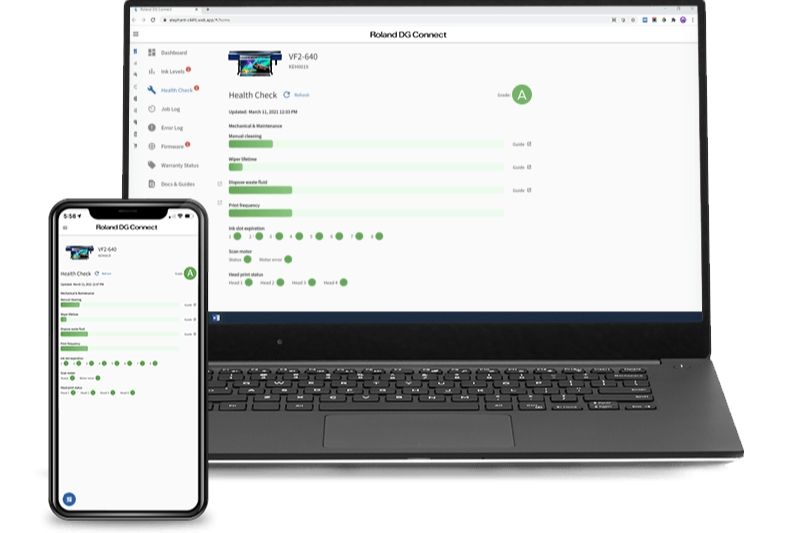
Accessible via desktop and mobile devices, Roland DG Connect allows users to:
- Monitor printer status in real time
- Track production and operational performance
- Access maintenance information and support resources
- Analyse business data and productivity
- Manage colour workflows
- Access design and production software tools
The platform has been developed to help businesses reduce downtime, improve efficiency and make more informed operational decisions.
Whether you're a signage business, print service provider, apparel decorator or manufacturer, Roland DG Connect helps keep your production environment running smoothly, minimise downtime and contain operational costs.
Introducing Roland DG Connect Designer
While Roland DG Connect helps manage your production environment, Roland DG Connect Designer helps streamline the creative process.
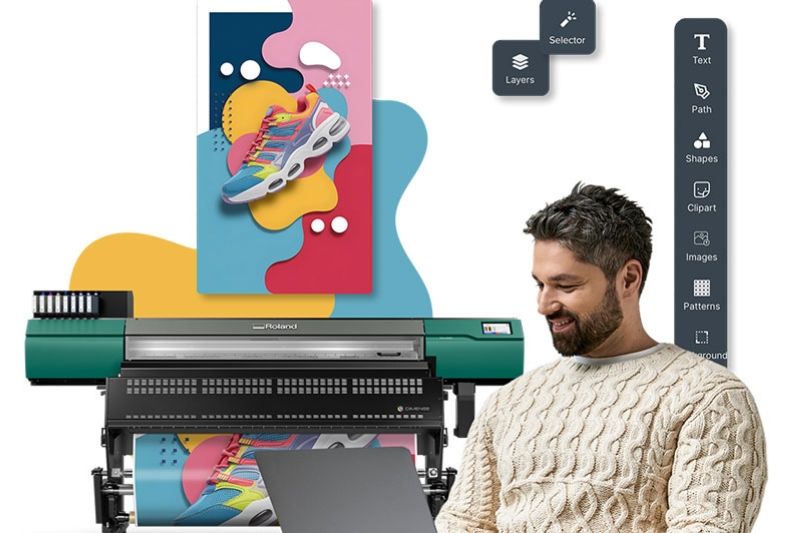
Connect Designer is a cloud-based design and production workspace that allows users to create artwork, build templates, prepare layouts and generate print-ready files from a single platform.
Instead of jumping between multiple software applications and manually configuring output settings, Connect Designer automatically generates device-ready settings as you work, reducing setup time and helping minimise production errors.
The result is a faster and more connected workflow from design through to production.
One Tool. One Workflow.
Traditional print production often involves multiple software platforms, file conversions and manual preparation steps.
Connect Designer simplifies this process by allowing users to:
- Create artwork
- Build templates and layouts
- Access built-in fonts, graphics and design assets
- Prepare files for production
- Send jobs directly to supported Roland DG devices
All within one integrated workspace.
This streamlined approach helps users spend less time preparing files and more time producing profitable work.
Designed for Users of All Skill Levels
One of the key advantages of Connect Designer is its accessibility.
The software includes a built-in asset library featuring:
- Layout templates
- Typefaces
- Illustrations
- Drag-and-drop shapes
These resources make it easier for beginners to create professional-looking graphics while helping experienced users work more efficiently.
Because the platform is cloud-based, users can access their projects from anywhere without the need for complex software installations or specific licences.
What's Included for Free?
Roland DG Connect Designer is available with a free plan that provides access to the core design and production workspace.
Users can:
- Create artwork
- Build layouts and templates
- Generate production-ready files
- Apply device-ready settings automatically
- Send jobs directly to compatible Roland DG devices
This makes it easy for existing Roland DG customers to explore the platform and experience its workflow benefits without additional upfront investment.
Expand Your Capabilities with Add-On Modules
As business needs evolve, Connect Designer can be expanded with optional subscription modules.
Visual Communication Module
The Visual Communication Module is designed for users creating signage, graphics, labels, decals and print-and-cut applications.
It includes tools that simplify common design and production tasks, such as:
- Converting images to vectors
- SVG editing
- Background removal
- Adding cut lines
- Creating perforated cuts
- Preparing print-and-cut jobs
- Applying special colour layers and effects
The module helps users move from artwork creation to print-ready output faster while reducing the need for multiple software programs.
The Visual Communication Module includes a three-month free trial and is available thereafter via monthly subscription.
Object Decoration Module
For users producing direct-to-object prints for customisation applications, the Object Decoration Module streamlines artwork positioning and production setup.
Key features include:
- Position Guides for accurate artwork placement
- Jig setup templates
- Object dimension management
- AR Picture functionality for BD Series printers
- Faster repeat-job setup
These tools reduce manual positioning and trial-and-error, helping users achieve consistent results with greater efficiency.
Dimense Module
The Dimense Module has been developed specifically for users producing textured and embossed wallcoverings with the Dimense DA-640.
The module allows users to:
- Apply embossing effects
- Create textured designs
- Preview results in 3D
- Adjust dimensional depth before printing
- Send files directly to production
This allows users to create striking dimensional applications without requiring separate software.
New DA-640 customers receive the Dimense Module free for their first 12 months.
AI Image Generation
Roland DG has also introduced an AI Image Generation add-on, allowing users to generate creative assets within the same connected design environment.
Real Business Benefits
The biggest advantage of Roland DG Connect and Connect Designer is centred on reducing complexity.
By bringing design, file preparation, colour management and output closer together, Roland DG is helping businesses:
- Save time
- Reduce manual processes
- Improve consistency
- Minimise production errors
- Increase productivity
- Expand application opportunities
As Roland DG's Executive Officer for Global Sales and Marketing, Ryugo Nimura explains:
"By reducing complexity in areas like artwork preparation and colour control, and improving the overall flow between design and output, we are helping customers focus on what matters most: creativity, productivity and growth."
Works Seamlessly with VersaWorks 7
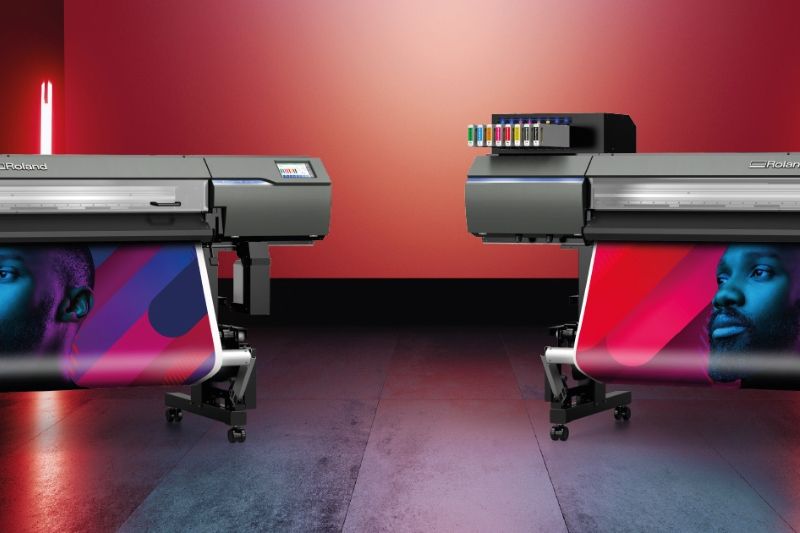
Connect Designer has been built to work alongside VersaWorks 7, Roland DG's RIP software.
Artwork created within Connect Designer can be sent directly into production workflows, while new VersaWorks 7 features such as ColorMatch help users achieve more consistent colour across devices and media.
Together, these tools create a more connected design-to-output workflow that reduces complexity and improves confidence in production results.
Getting Started
Getting started with Roland DG Connect is simple. Existing Roland DG users can create a free account and register their compatible devices to access performance monitoring, maintenance tools, business insights and software resources.
From within the platform, users can also access Roland DG Connect Designer and begin exploring its design and production features. Optional modules, including the Visual Communication, Object Decoration and Dimense Modules, can be activated through free trial offers where available, allowing users to experience the additional functionality before committing to a subscription.
Whether you're looking to streamline production, improve workflow efficiency or expand into new applications, Roland DG Connect provides an easy way to manage the process.
Can I Cancel My Subscription?
Yes.
The optional Roland DG Connect Designer modules operate on a flexible subscription basis. If you no longer require a paid module, you can cancel your subscription through your Roland DG Connect account settings. Access to the module will continue until the end of the current billing period, after which the subscription will not renew while access to any included free services remains available in accordance with Roland DG's subscription terms.
This flexibility allows businesses to add advanced functionality when required and scale back if their needs change.
Is Roland DG Connect Right for Your Business?
Whether you're producing signs, labels, apparel graphics, customised products or textured wallcoverings, Roland DG Connect and Connect Designer offer a smarter way to work.
By combining device management, workflow tools and production-ready design software into a connected ecosystem, the platform helps businesses streamline operations, improve efficiency and unlock new creative possibilities.
Best of all, you can start with the free plan and explore the benefits for yourself before deciding which advanced modules are right for your business.
For full details on Roland DG Connect head to the product page.